Parallax Wallet
Open sourceYour own node and your own keys, in one app
Parallax Wallet runs a complete Parallax node, keeps your keys sealed under one password, signs on a Ledger, a Trezor or an air-gapped computer, and lets an AI assistant help without ever touching a key.
Linux, macOS and Windows
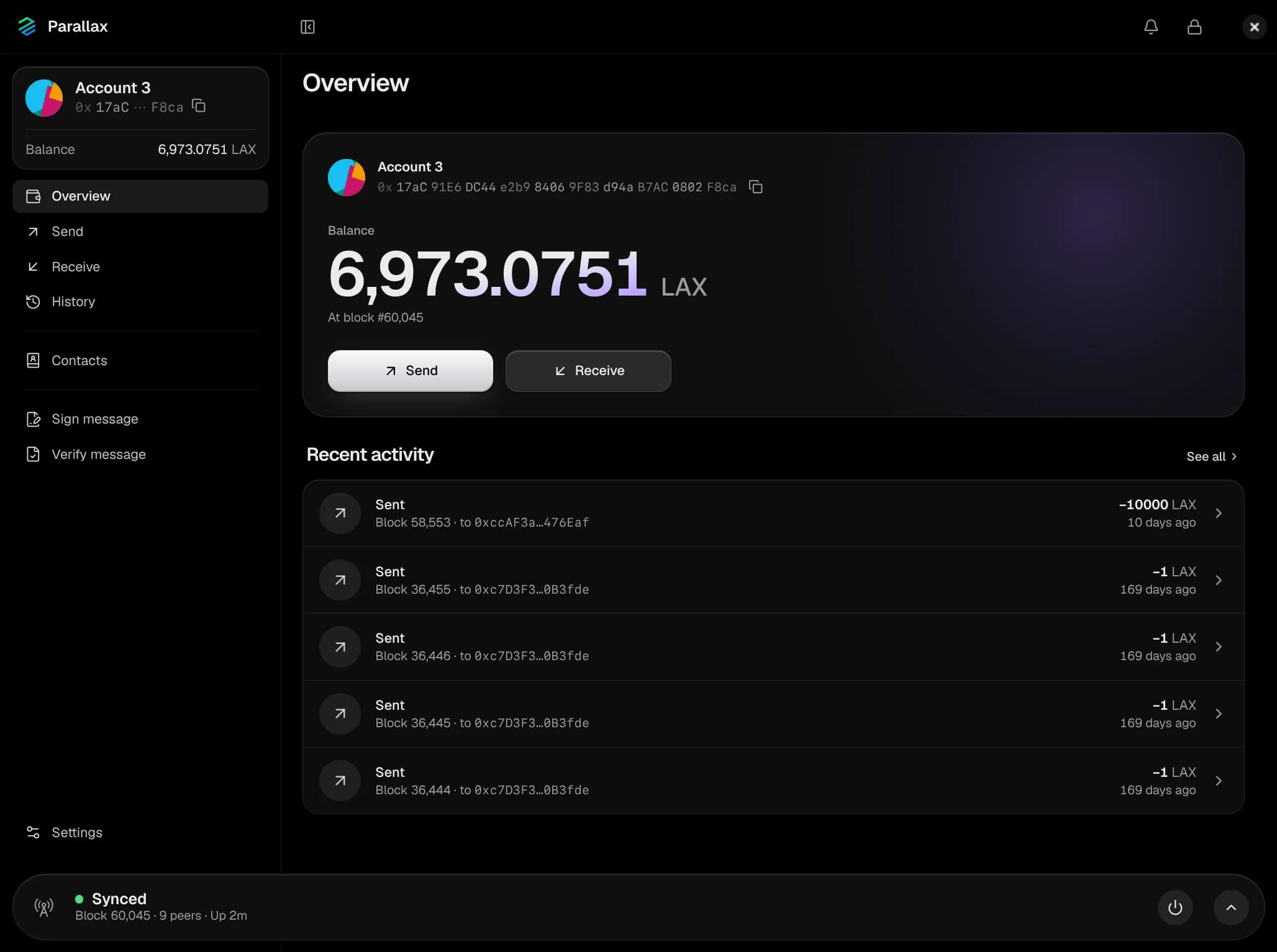
01Full node
A full node, built in
The app runs a complete Parallax node inside its own process. No separate install, no sidecar, and no server between you and the chain.
Balances from your own chain
Balances, history and fees come from your own copy of the chain, checked block by block, not from someone else's server.
Every transaction, indexed on your disk
The app keeps its own index of the chain, so an account's whole history loads in a few lookups, and an account you import has its history at once, with no rescan.
The network at a glance
A block clock against the 10-minute target, sync progress, the latest blocks, your connected peers and the mempool.
It helps the network
By default the node accepts connections from other peers on port 32110 and maps it on your router by UPnP or NAT-PMP. Prefer outbound only? It's one switch.
Parallax network
Parallax Wallet · one process
Full node
P2P on port 32110
Wallet
Keystore and sealed files
History index
Every address, on disk
Assistant server
127.0.0.1:8549
Local HTTP-RPC on 127.0.0.1, for your own tools. Never exposed to the network, and the wallet doesn't need it.
02Security
Sealed by default
Built on the node's own key management and established libraries, not new cryptography.
One password
Every key and recovery phrase is encrypted with your wallet password. Unlock once; the wallet locks itself after 15 idle minutes by default, and whenever the computer sleeps.
Standard keystore files
One Web3 Secret Storage file per key (scrypt, AES-128-CTR), the format parallaxd and the parallax-wallet tool use. Kept apart from the chain data and never attached to the node, so nothing that connects to its RPC can use them.
Everything else, sealed
Account names, contacts, watch-only accounts, signing records and pending sends are sealed with XChaCha20-Poly1305, each file bound to its name. A locked wallet doesn't even reveal how many accounts it holds.
A key only for the moment
A key is decrypted for the one action that needs it, then wiped. While the wallet is unlocked, the password is held sealed in memory kept out of swap and core dumps.
The dangerous steps ask again
Revealing a recovery phrase, saving a backup, removing a key and changing the password always take the password typed again. A new phrase is confirmed by retyping three of its words.
Crash reports stay on your disk
Crash reports are written to your own config folder and never sent anywhere. Fonts ship with the app, so it makes no third-party requests to draw itself.
Memory protection, by platform
Windows has nothing like Linux's non-dumpable flag. There, your keys are protected by the encryption and the locked memory above.
03Cold signing
Keys that never touch this computer
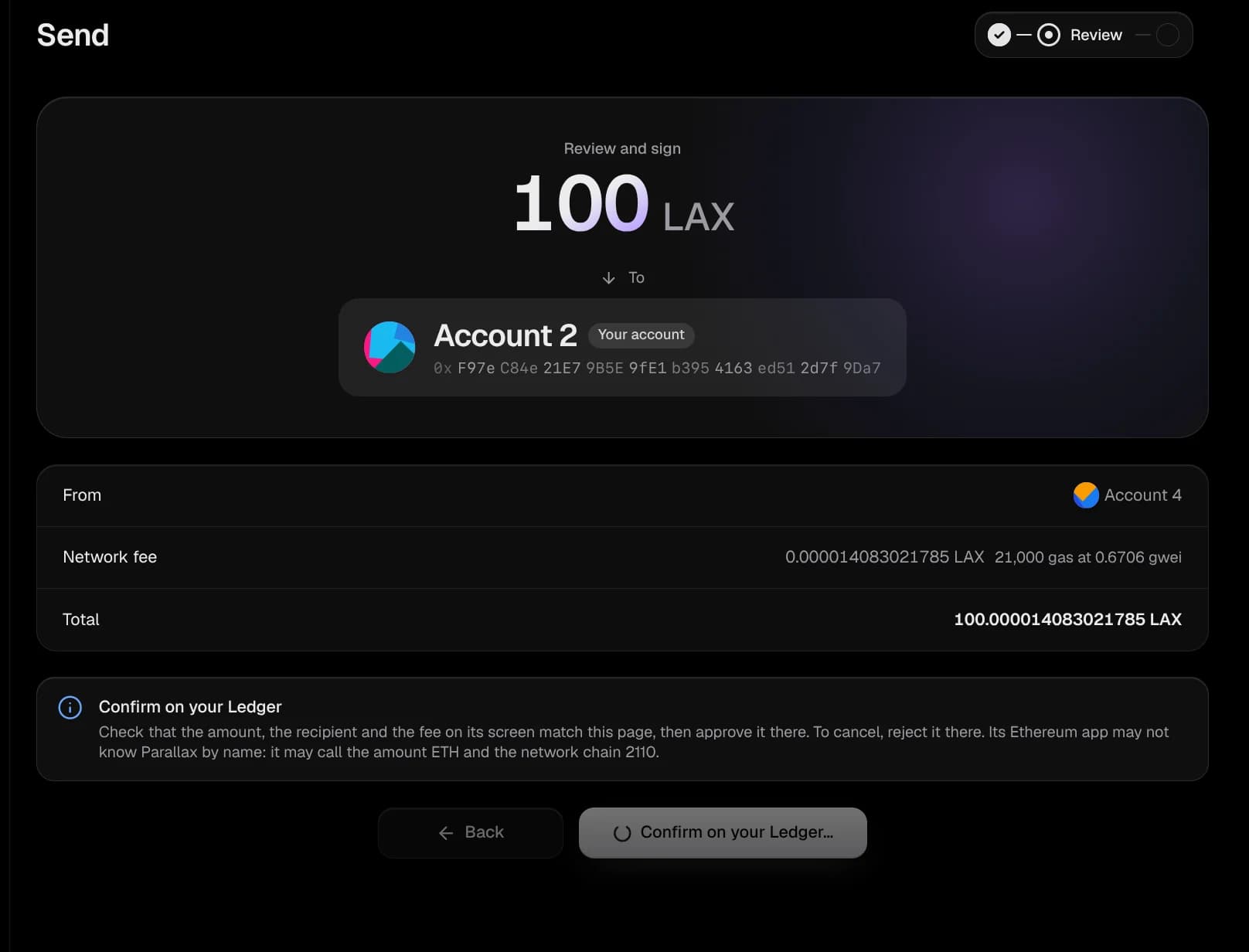
Keep a key on a hardware wallet, or on a computer that never goes online. The app prepares the transaction; the key signs where it lives.
Hardware wallets
Ledger and Trezor
Accounts whose keys stay on the device. Every send, signed message and assistant request is confirmed on the device's own screen, with no wallet password.
- Bring accounts in from Settings: the app finds them along the standard and Ledger Live paths.
- A replacement restored from the same recovery phrase signs too. A device holding a different wallet is caught before it's asked to sign.
- Check a receiving address on the device's screen.
- On Linux, the app installs the USB rules the devices need.
Air-gapped
Offline signing, by QR code or file
Run Parallax Wallet as an offline signer on a computer that never connects: its node never starts and it never checks for updates. Your everyday wallet follows the same accounts as watch-only.
- 01
Prepare
The online wallet builds a signing request with the nonce, fee and gas only its node knows.
- 02
Sign
The offline signer scans the QR code or opens the file, shows exactly what would be signed, and signs. A fee cap, 1 LAX by default, refuses anything above it.
- 03
Broadcast
The signed transaction comes back the same way and is checked against the request before it's broadcast.
Messages can be signed offline too. The request format is shared with the parallax-wallet command-line tool.
04AI assistant
An assistant that never touches a key
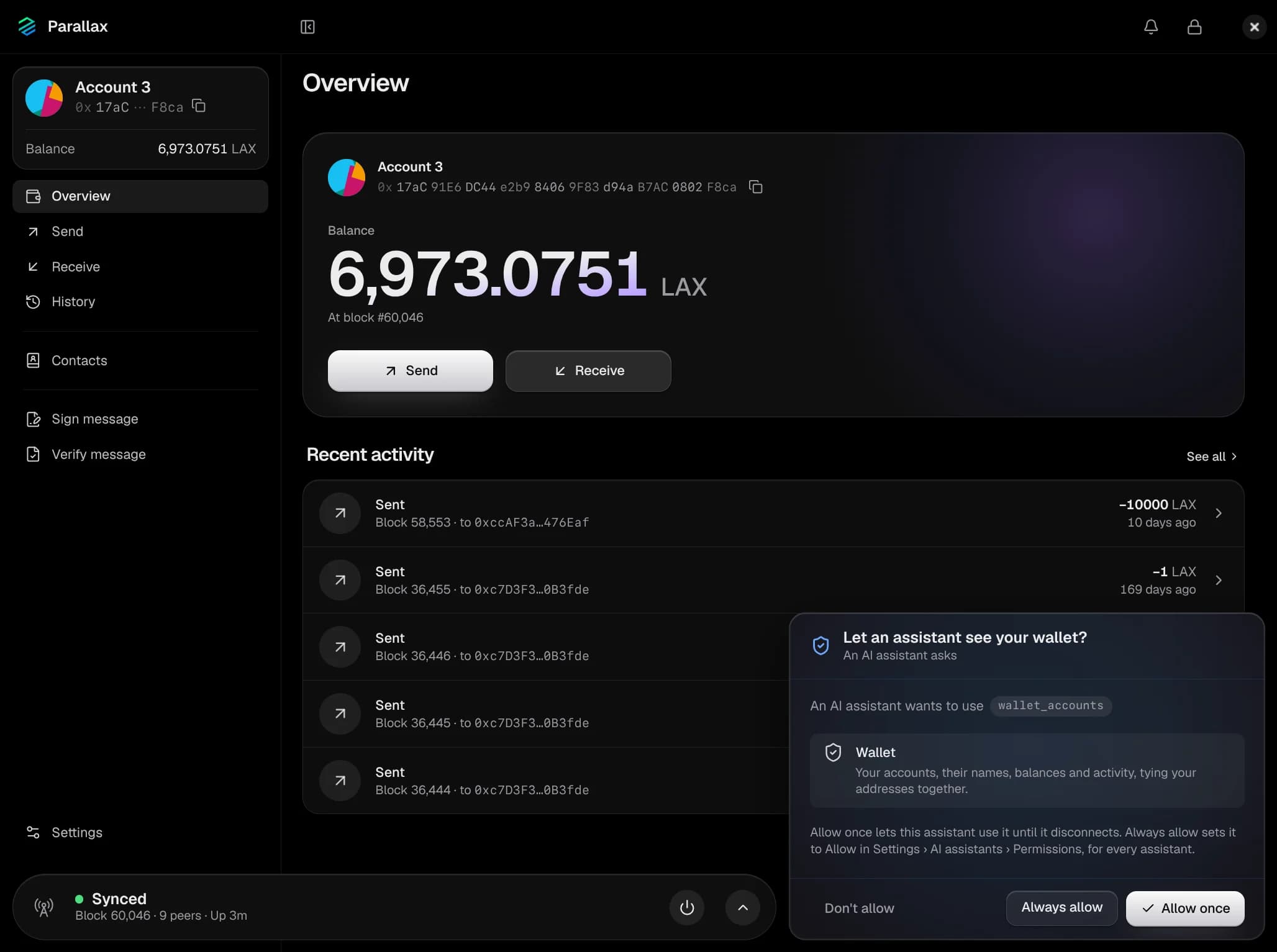
Parallax Wallet runs its own MCP server, so Claude or any MCP client can read the chain through your node and, as far as you allow, help with your wallet.
You decide what it may do
Every feature is set to Allow, Ask or Block: node status and logs, your accounts and activity, contacts, starting or stopping the node, settings, new accounts and sends. Ask is the default for nearly all of them.
Every send approved by you
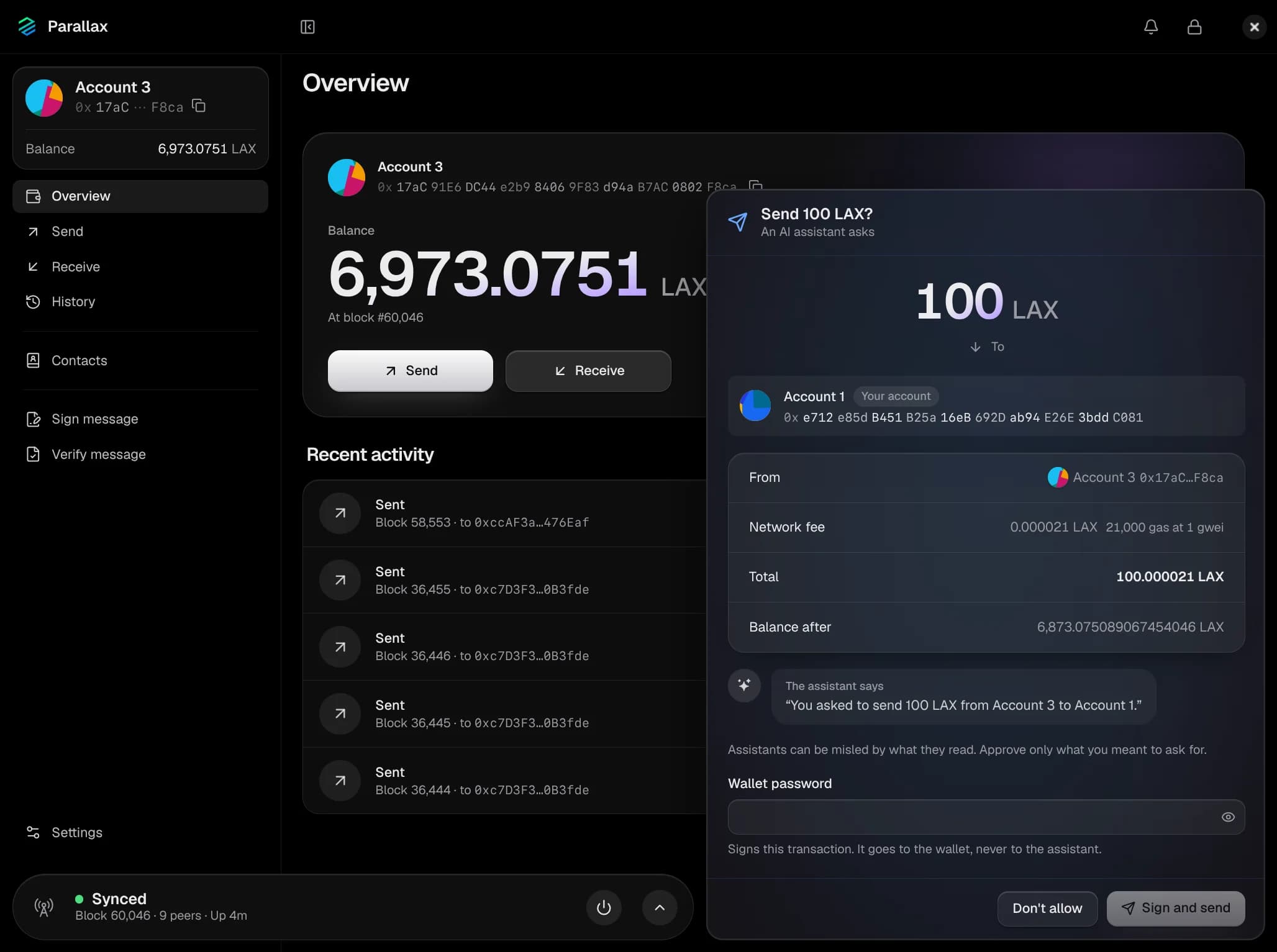
An assistant can prepare a send. It goes only after you review it in the app and enter your wallet password, or confirm it on your hardware wallet.
Answered by your own node
Chain data comes from your node, not a public RPC. The server listens on 127.0.0.1 only, needs its access token, and refuses requests from web pages. The public explorer and status page stay off unless you turn them on.
It can lock, never unlock
An assistant can lock the app, as its lock button does. Only you can unlock it, and while it's locked the assistant can do nothing.
Permissions · defaults
- Node statusAllow
- Accounts and activityAsk
- ContactsAsk
- Lock the appAllow
- Send transactionsAsk
Connect Claude Code
claude mcp add --transport http parallax-wallet-app http://127.0.0.1:8549/mcp --header "Authorization: Bearer <token>"
Settings › AI assistants shows the address and your token, and a JSON config for any other MCP client.
No assistant can, whatever you allow
- See recovery phrases
- Export, import or back up keys
- Remove accounts, phrases or contacts
- See or change the wallet password
- Unlock the app
- Sign or send without your approval
- Open the node to the network
- Change what assistants may do
05Everyday
Everything else a wallet should do
The daily work, done carefully.
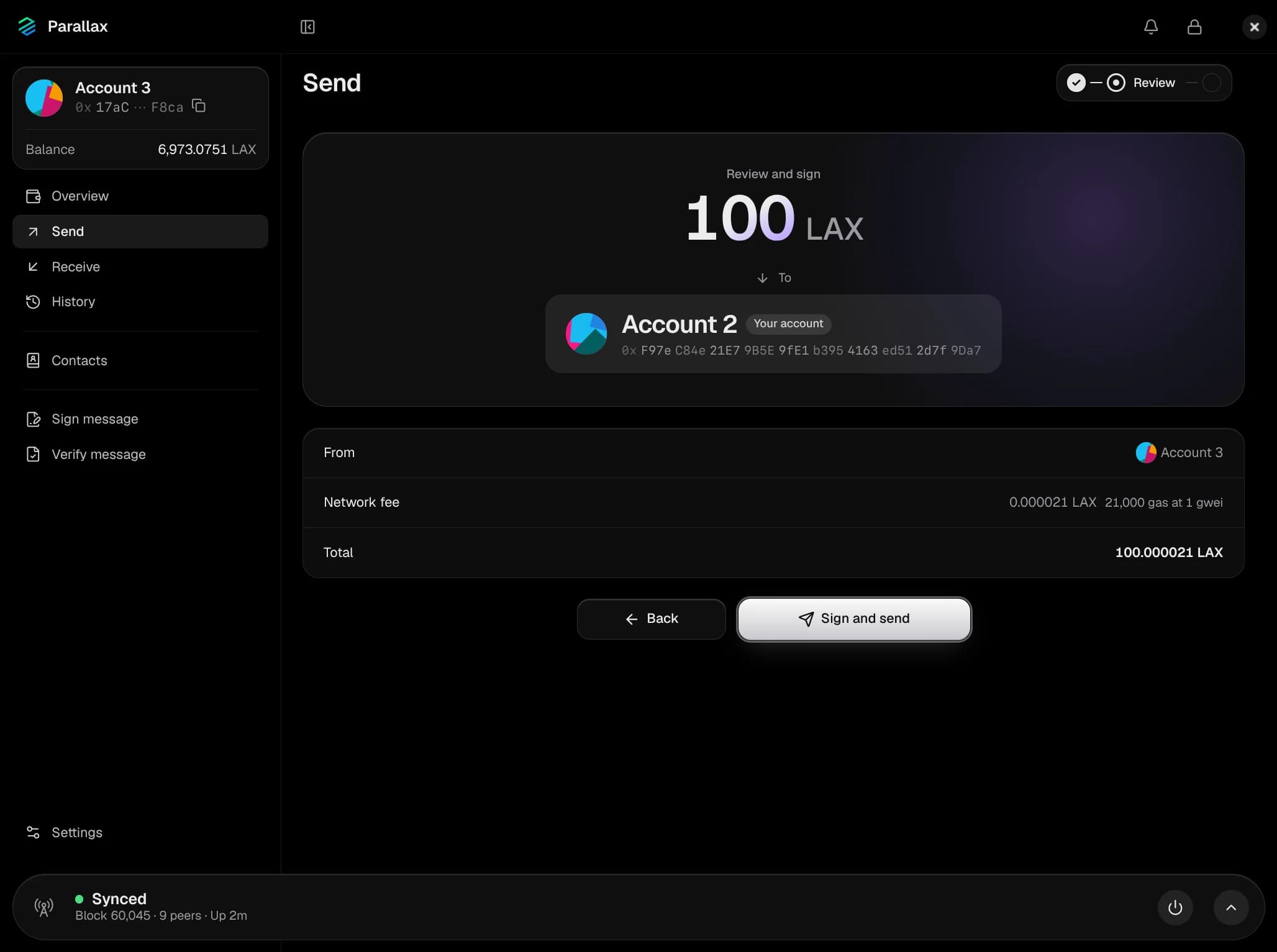
Send, with a full review
The whole recipient address, the amount, the fee and the total before you sign. Your contacts and your own accounts are named. Speed up or cancel a send that's still waiting.
Receive with a QR code
Your address and its QR code, which you can check on a hardware wallet's screen.
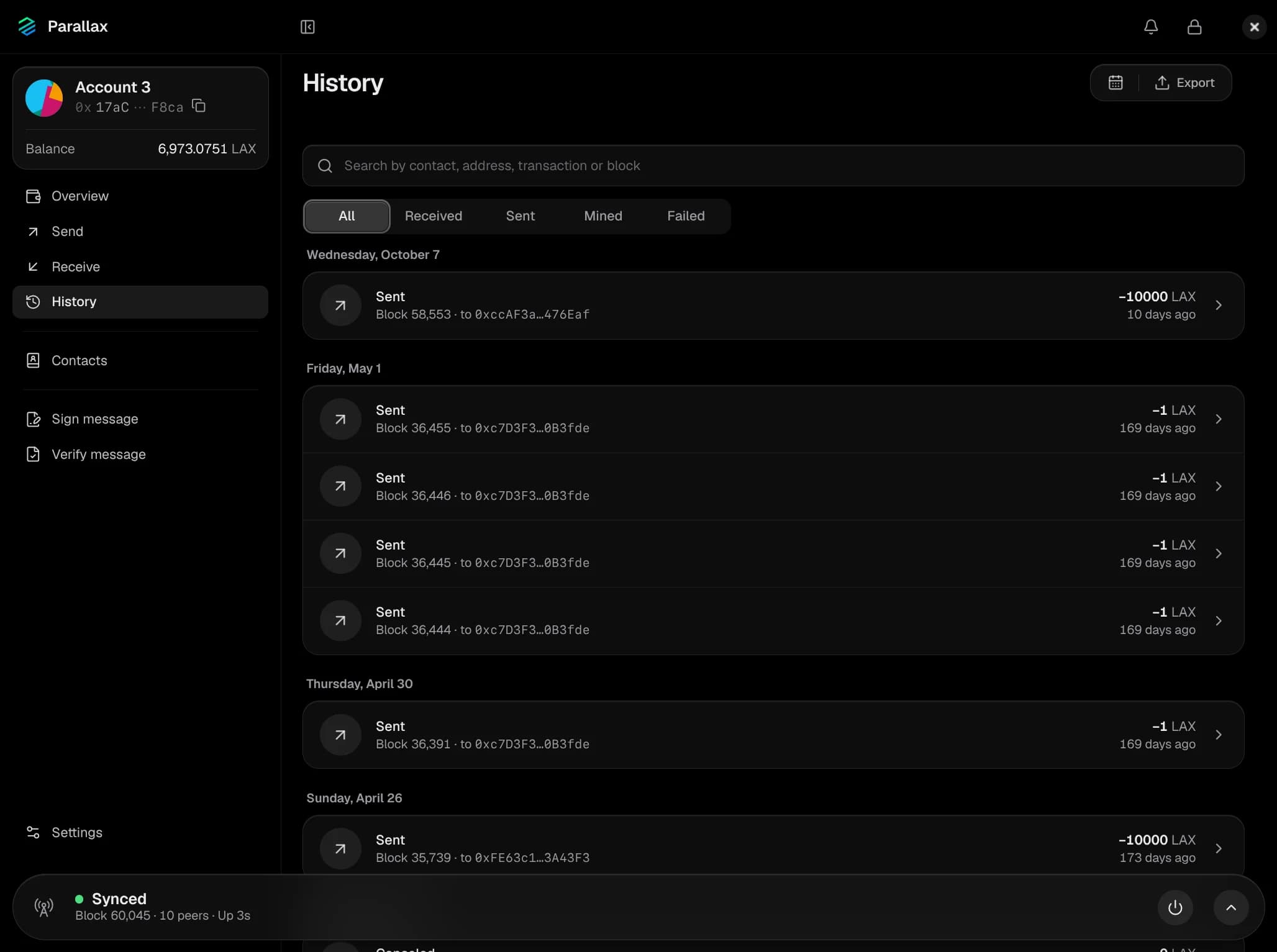
Complete history
Every transaction and mined block of every account. Search, filter by received, sent, mined or failed, jump to a date or a block, and export to CSV.
Contacts
Names for the addresses you pay, sealed like the rest. Each name and address is unique, so a look-alike entry can't hide behind a familiar one.
Sign and verify messages
Prove you control an address with a standard EIP-191 signature, and check anyone else's.
Several recovery phrases
24 words by default, with an optional passphrase. Accounts follow MetaMask's derivation path, so the same words restore the same accounts there; imports also scan the Ledger Live and legacy paths.
Watch-only accounts
Follow any address's balance and history, or pair it with an offline signer to send from it.
Mining rewards
Blocks you mined show in your history with their reward, their fees and when they can be spent.
Notifications
When LAX arrives, when a send confirms or fails, when a long sync finishes, and if the node stops because the disk is nearly full.
Verified updates
The app checks for new releases and verifies each download's SHA-256 checksum before installing it. Background checks can be turned off.
Seven languages
English, Deutsch, Français, Português (Brasil), Русский, 中文(新加坡) and 中文(繁體).
Light and dark
Follows your system, or pick one.
06In development
What's being built
Not in the app yet. Both are being built for Parallax Wallet now.
Stealth addresses
Share one address publicly while every payment lands at a fresh one that outside observers can't link back to you.
Payment channels
Instant LAX payments signed off-chain and carried end-to-end encrypted over Nostr relays, with no payment servers. They even work with no internet, in three QR scans.
07Download
Get Parallax Wallet
Free and open source, for Linux, macOS and Windows.
macOS
A disk image for Apple silicon or Intel Macs, macOS 12 or newer.
- Disk image (.dmg)Apple silicon
- Disk image (.dmg)Intel
Windows
For 64-bit Windows. Install it, or run the portable version without installing.
- Installer (.exe)x64
- Portable (.exe)x64
Linux
A single AppImage file. Make it executable and run it.
- AppImagex86_64
- AppImageARM64